Pay-here stations for pay-to-play experiences
A pay-here station is a tablet beside the gate of an experience guests pay for on the day, like a salt float pool or a mud room. A guest taps their wristband on the tablet, sees the experience, the price and the card they saved at check-in, and taps Pay. Then they tap their wristband on the gate, which lets them in because they now have the experience on their booking.
Guests who booked the experience in advance skip the tablet and go straight to the gate.
The gate itself never charges anyone. Your booking platform decides who the gate lets in, and the station is how a guest buys their way onto that list.
What the guest sees
Section titled “What the guest sees”- The experience and how many spots are left, updated every few seconds: “Salt float · $35.00 · 3 spots left · Tap your wristband here to buy”. When it’s full, the screen says so and shows when it opens next.
- Their first name and initial, the price, and their card: “Pay $35.00 with card ending 1111”. They can cancel, and the screen clears itself after 30 seconds.
- “You’re in. Tap your wristband on the gate.”
A guest who already has the experience for right now is told to go to the gate. Once their session has ended they can buy it again — a float at 2 pm and another at 4 pm.
Anyone the station can’t help — a wristband it doesn’t know, a guest with no booking here today, a guest with no saved card — is asked to see the front desk, and the screen says plainly that nothing was charged.
Guests without a wristband can scan the QR code from their booking email instead, if they are the only guest on that booking. A booking for a group asks each guest to tap their own wristband, so nobody’s card is charged for someone else.
How it works with your booking platform
Section titled “How it works with your booking platform”- The experience is a session type you already manage. Its price, its capacity and its hours are set where you set everything else. A simple setup is one session a day covering opening hours, with the room’s capacity, and the waitlist turned off.
- Capacity is enforced by your booking platform. The station never sells a place it doesn’t have, and it never sells a place the platform would only put on a waitlist.
- The gate’s rule lets in customers who have that experience on their booking that day. Set it on the experience’s gate, for that session type, “on booking date”.
- Each purchase is its own booking, paid on the guest’s saved card, so it appears on their account and in your reports like any other sale, and the guest gets the usual confirmation email.
Setting up a station
Section titled “Setting up a station”-
Create the session type for the experience in your booking platform, if you haven’t already.
-
Tell us the experience’s name and which session type it sells. We add it to your Arrivals settings.
-
In the console, add a new station device for Arrivals and make a pairing code.
-
On the tablet, open your Arrivals address with
/x/and the experience’s short name (for example/x/salt-float), enter the pairing code, and leave it running. Allow wristband reading when the tablet asks.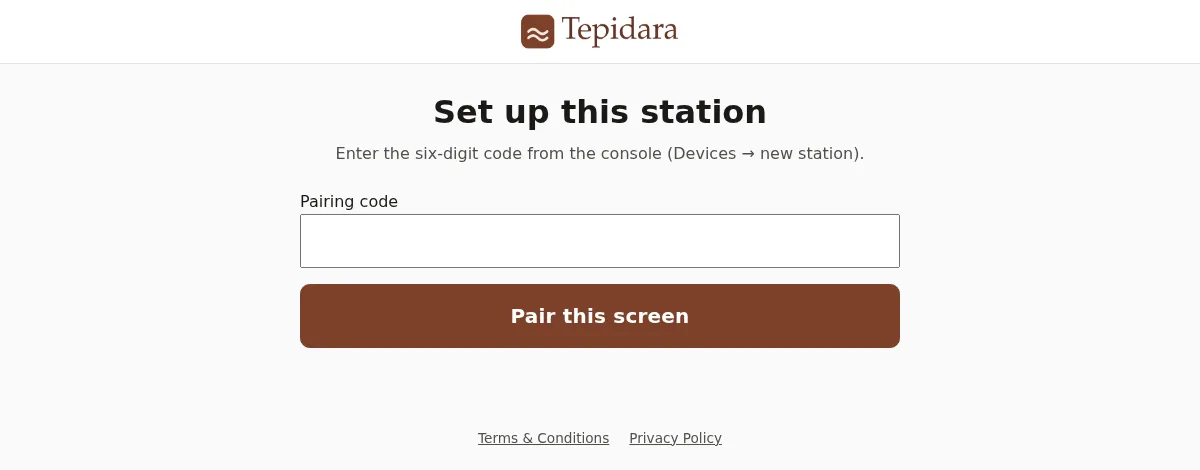
To retire a tablet, remove the station in the console. It stops working straight away.
Good to know
Section titled “Good to know”- A guest can buy up to six times a day across all your stations. You can set a different limit for each station.
- If the tablet loses its connection in the middle of a payment, it never tries again on its own. It sends the guest to the front desk, where you can see in your booking platform whether the payment went through.
- Refunds and disputes are handled at the desk in your booking platform, like any other sale.
Something wrong or unclear on this page? Tell us and we’ll fix it.