Test check-in before you go live
Check-in runs against your real Trybe site, so the best test is a real booking. Make it for two or more people: the group path is the one worth seeing.
Before you start
Section titled “Before you start”- A booking on your booking site, made with an email address you have not used there before.
Trybe keeps a signed waiver on the customer until it expires, so a returning customer is not
asked again. To test the waiver, use a customer who has never signed. Your own address with a
+and any word before the@(for exampleyou+checkin1@yourspa.com) arrives in your inbox but counts as a new customer to Trybe. - A visit starting within the next hour, so the I’m here — check me in button is live when you reach it. If nothing starts that soon, book the next visit, do the earlier steps now and come back for the last one when the visit is an hour away. For the earlier steps alone, any visit time works: details and the waiver can be done days ahead.
- Optionally, a Trybe login for your site, to see what the front desk sees.
Walk through it
Section titled “Walk through it”-
Book on your booking site as a guest would.
-
Open check-in the way your guests will: from the confirmation page, the confirmation email or your site’s menu, depending on what we set up with you.
-
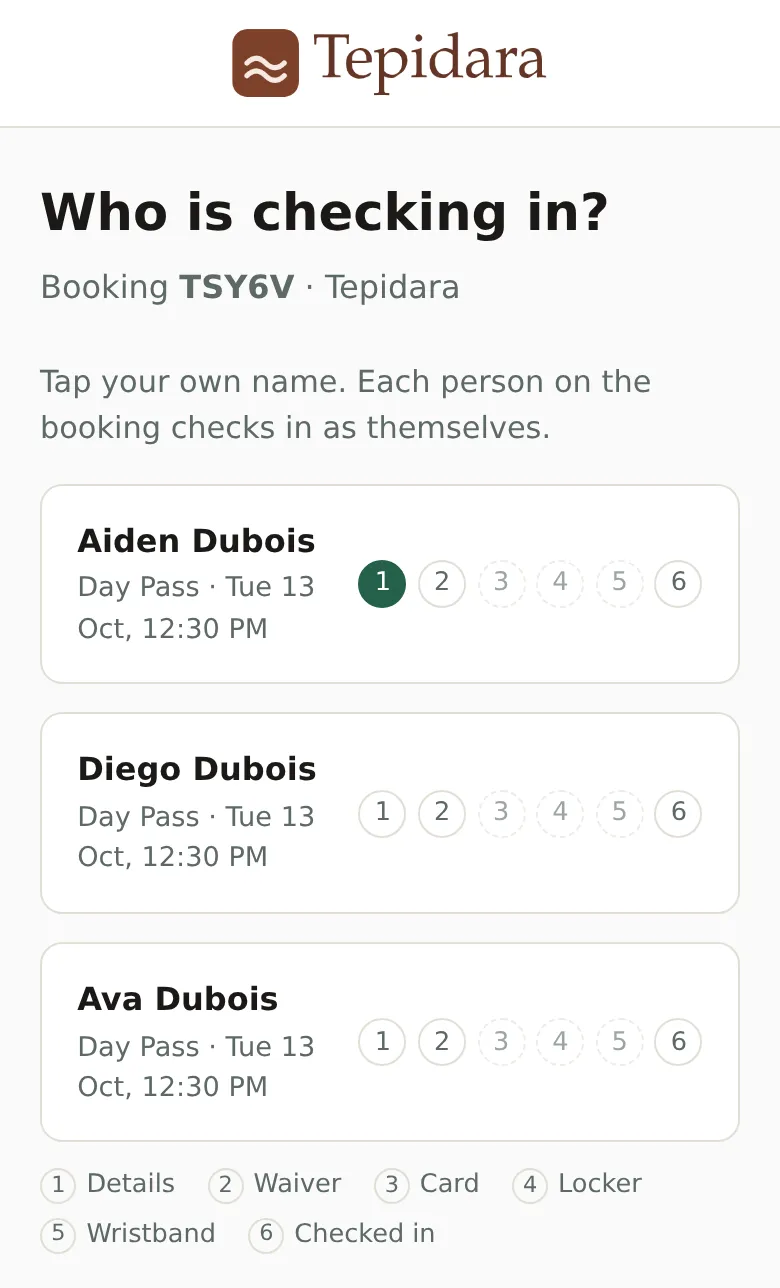
Pick yourself, save your details, sign the waiver and check in. See What your guests see when they arrive for each step.
-
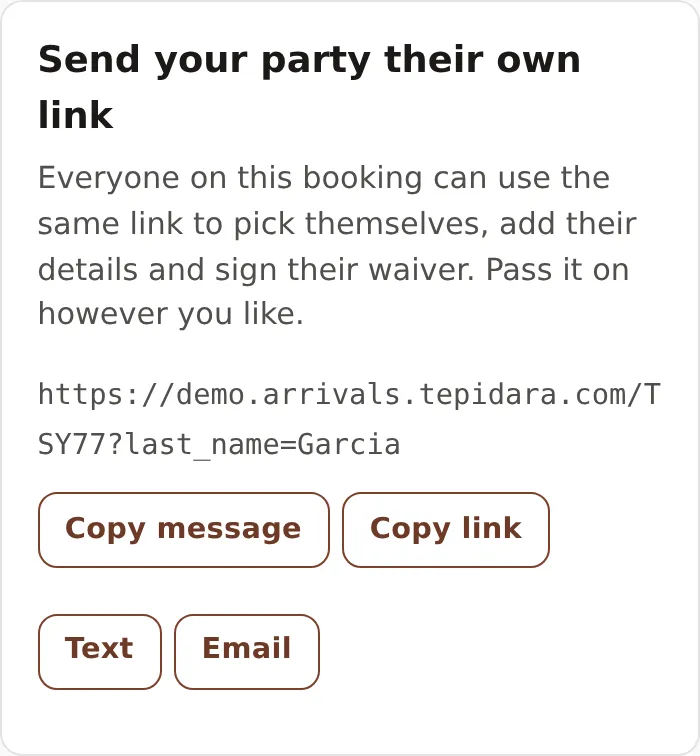
Share the link with a second phone and complete the second guest from there.
-
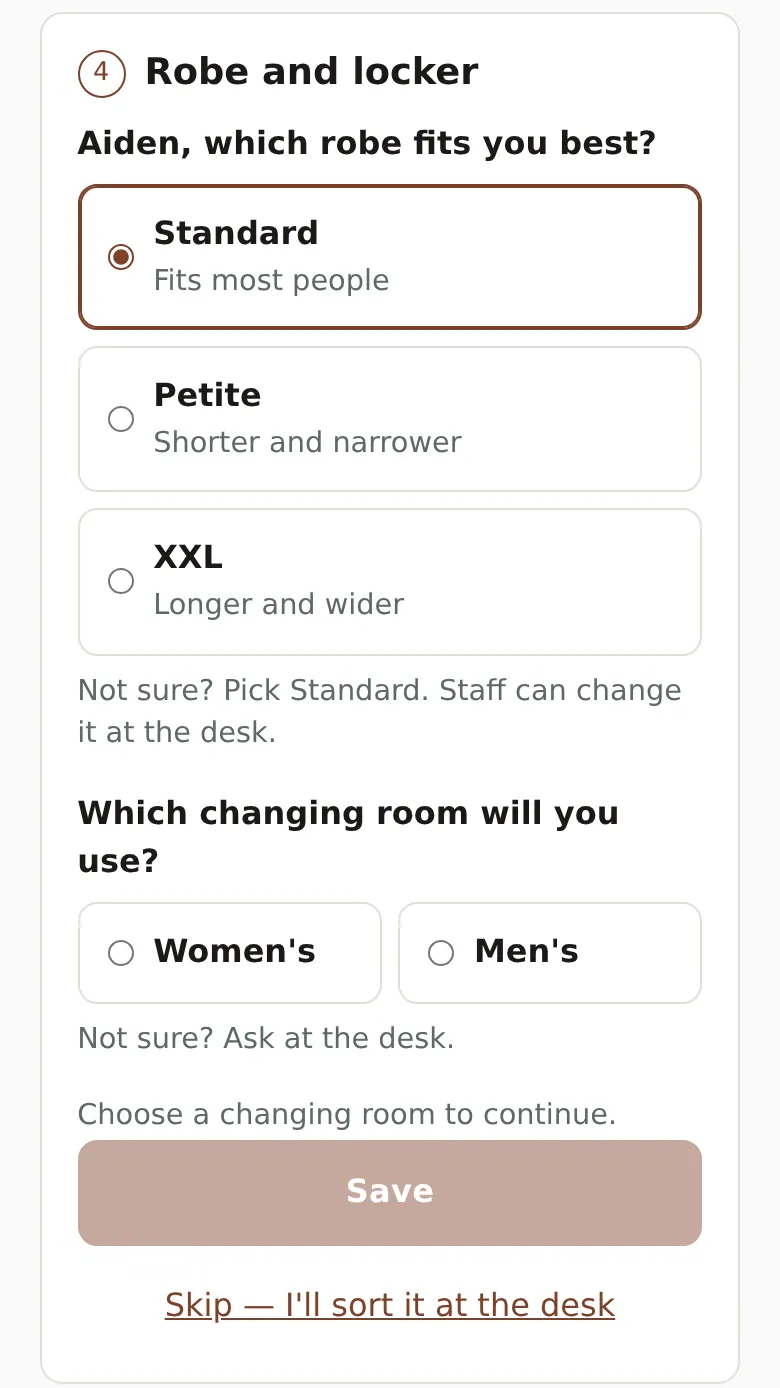
If you use the locker step, answer the size and room questions for one guest, then change the size and check that the locker number changes. Skip it for the other guest.
Check it in Trybe
Section titled “Check it in Trybe”Open the order in Trybe:
- Each guest who saved their details is linked to a customer record.
- Their intake form shows as completed once signed.
- A checked-in guest shows as arrived on the booking.
- With the locker step: the guest’s locker is on the booking as a $0 area booking, only the newest one after a change, and nothing extra was charged. In the console, Sizes by arrival counts that guest’s size, and the guest who skipped as not chosen yet.
Before you go live, tell us
Section titled “Before you go live, tell us”- Your check-in window per package, if you want something other than an hour before to half an hour after the visit.
- A support address for guests the page sends to the front desk.
- Your own check-in address, if you want one on your domain. That is one DNS record for your web company, and we send it once our side is ready.
If something doesn’t match
Section titled “If something doesn’t match”Send us the booking reference and a sentence on what you expected. With the reference we can trace exactly what happened to that booking and that guest. A screenshot helps when it is the waiver hand-back.
Something wrong or unclear on this page? Tell us and we’ll fix it.