Café ordering from the guest's phone
Café ordering is a page of your online shop. Guests open it on their own phone, add food and drink, say where to bring it, and pay. The order is an ordinary order in Trybe, and if you use our kitchen display it appears on your kitchen and bar screens.
What the guest sees
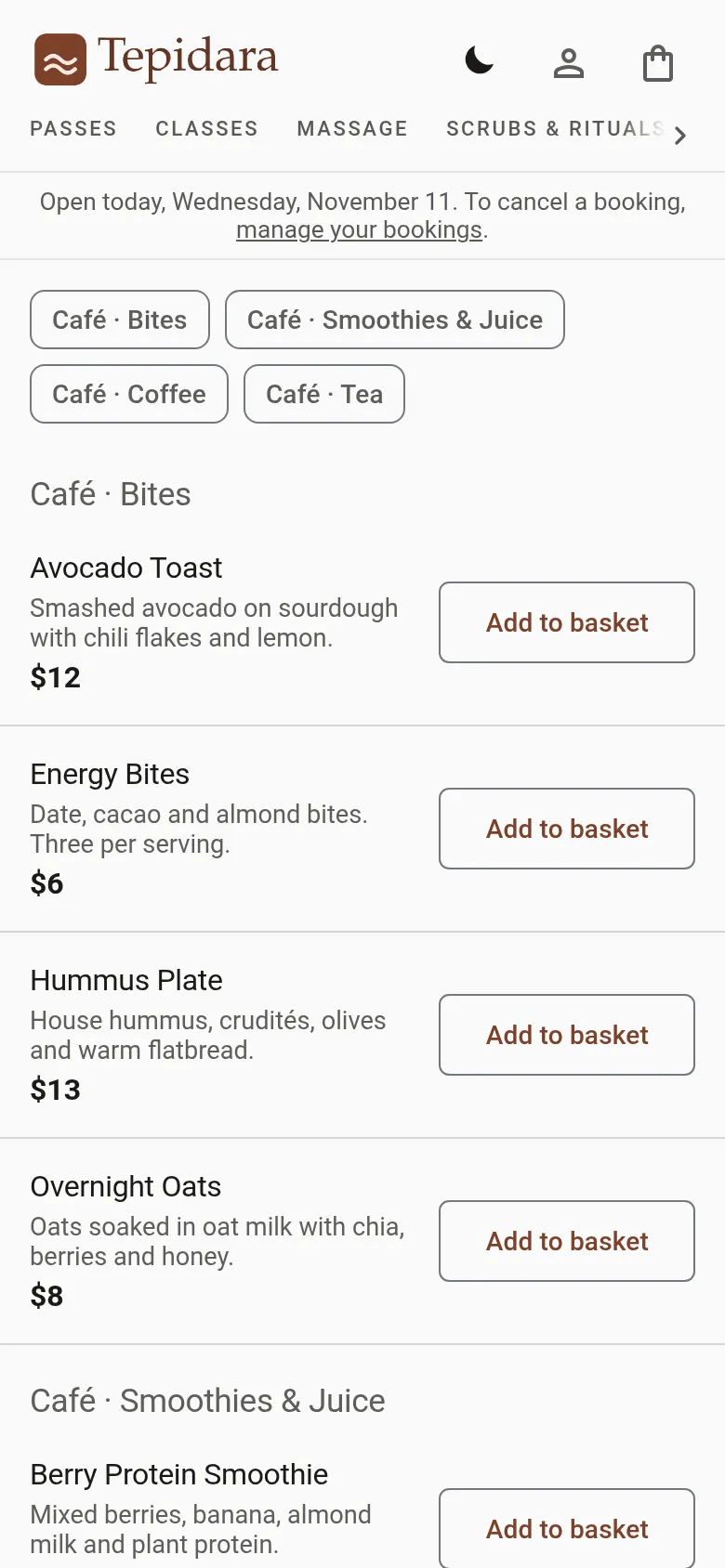
Section titled “What the guest sees”- Your menu. Your café’s products from Trybe, under your categories, each with its description and price.
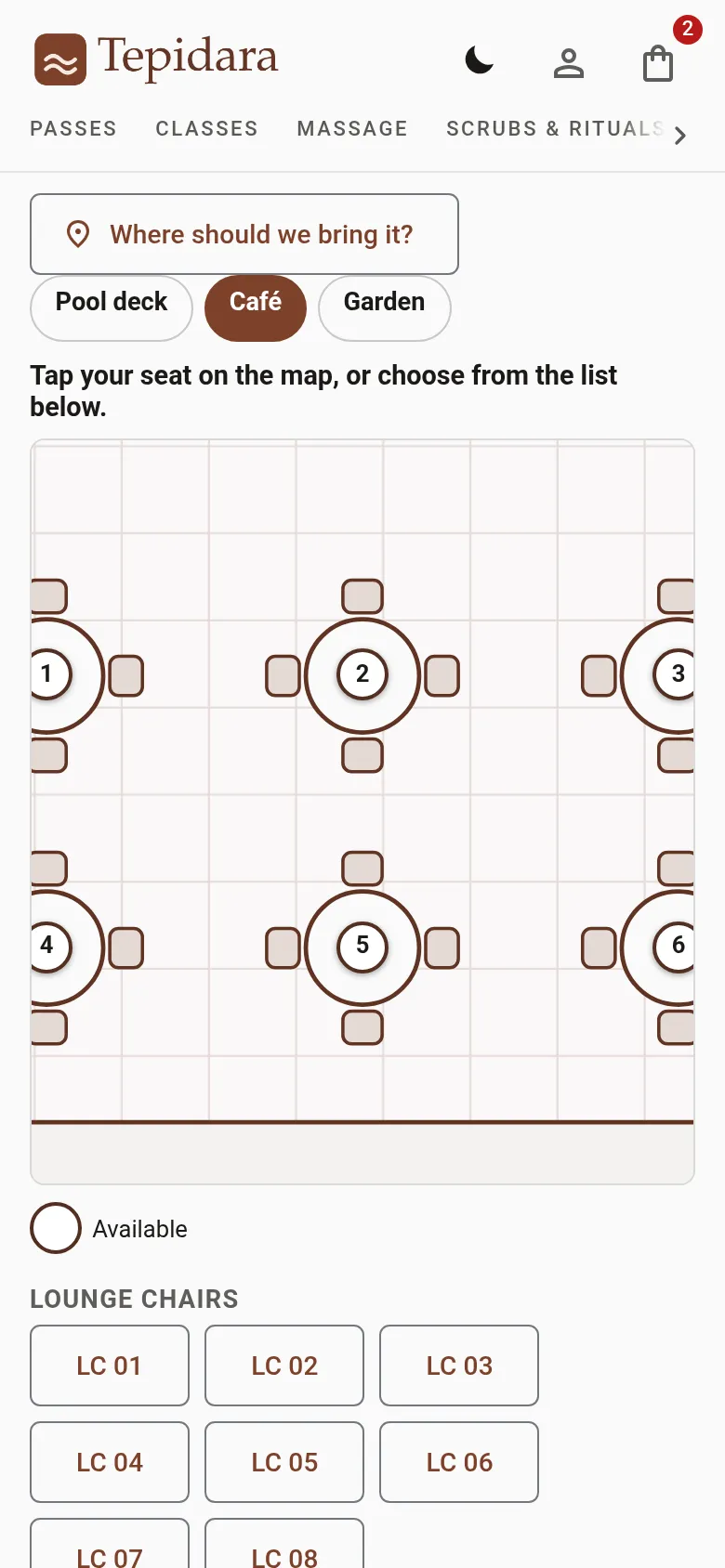
- Where should we bring it? In the basket, the guest picks the spot they’re at, such as a table, a lounger or a cabana, from a list grouped by area. If we’ve drawn a map of your space, they can tap their seat on the map instead.
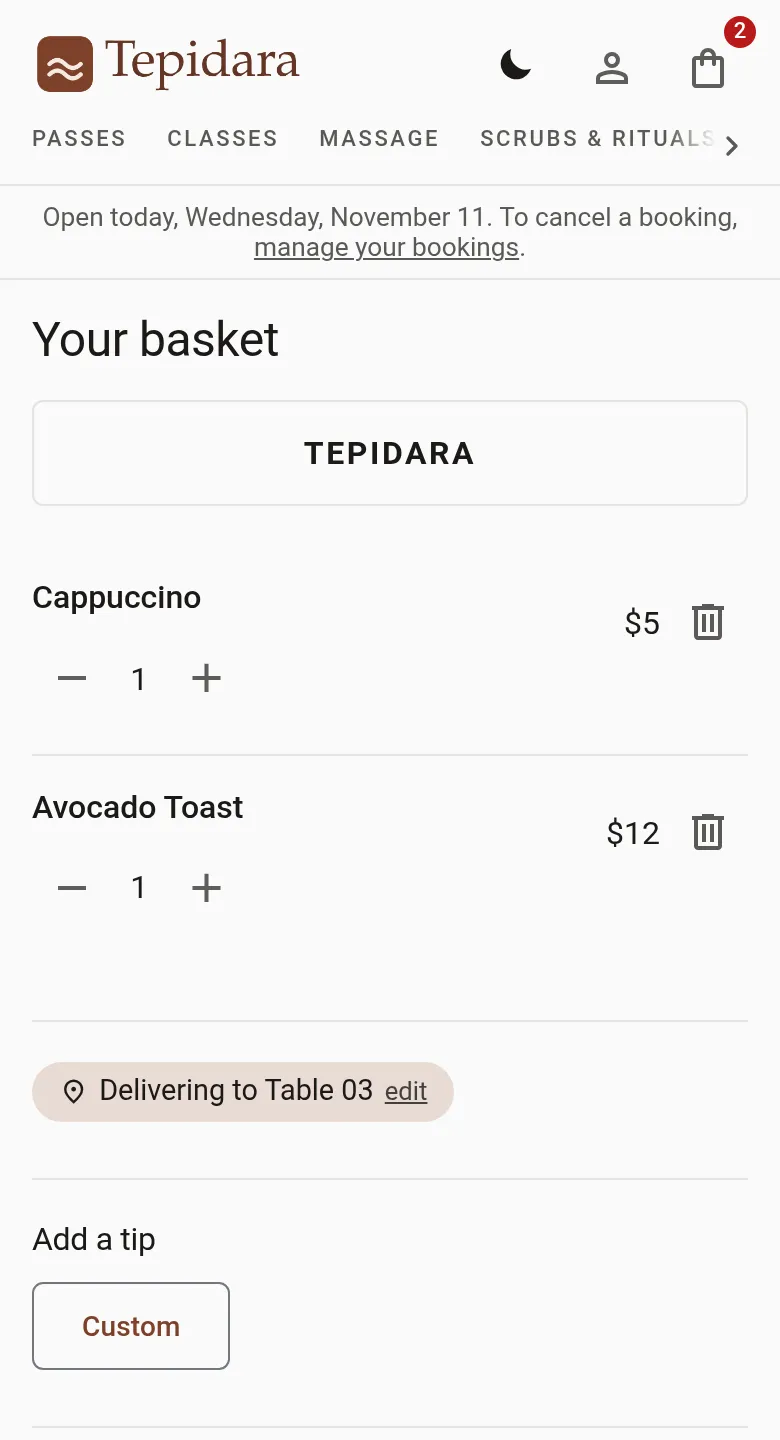
- A tip and special requests, if you ask for them. Special requests are written on the order in Trybe.
- Payment. Paying by card opens a secure payment page, and the order page moves on by itself once the payment goes through. A guest who has ordered before can ask for a sign-in link and use a card they saved. Any other ways to pay your shop offers show here too.
- Order in! The confirmation shows the order number and the spot it’s going to.
What reaches Trybe and the kitchen
Section titled “What reaches Trybe and the kitchen”- In Trybe, the order is paid and carries each item, like any other order.
- The spot is on the order as a $0 line, for example Table 3.
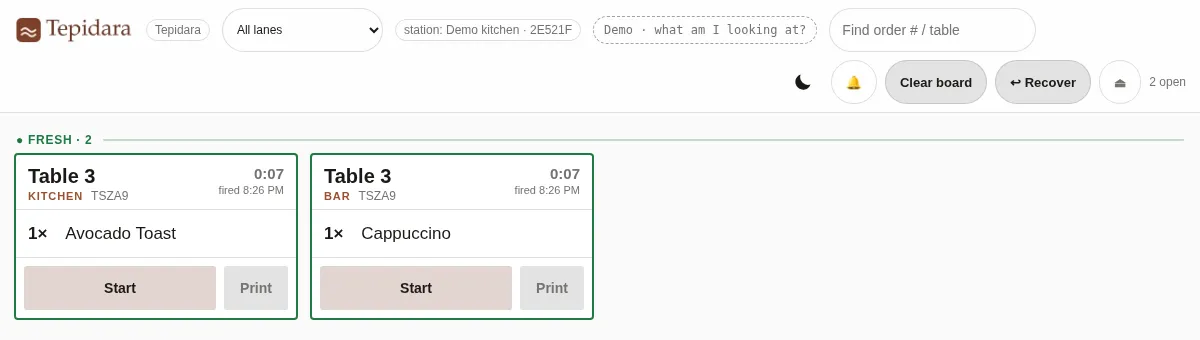
- On the kitchen display, the order shows under its spot, split by lane, so each screen gets its own part. Below, the avocado toast went to the kitchen and the cappuccino to the bar. Working the board is covered in Use the kitchen display.
What we set up with you
Section titled “What we set up with you”- Your menu in Trybe. Your café items are Trybe products. We show the product categories you choose.
- Your spots. Each place you bring orders to is a $0 product in Trybe, in a category of its own that never shows on the menu.
- A map of your space, if you want one, with each spot on it.
- Whether guests are asked for a tip and for special requests.
- Your kitchen screens, if you use them. We give them the same spots, so each ticket shows where to take the order. Pairing the tablets is in Set up your kitchen screens.
Something wrong or unclear on this page? Tell us and we’ll fix it.